







Adsense Disapproval: The Definitive Guide to Causes, Fixes & Hidden Advantages
(2025)
Introduction: The Moment of Truth and Opportunity
You’ve poured hours into building your website, crafting content, and optimizing for visitors. With a sense of anticipation, you submit your application to Google AdSense, envisioning a new revenue stream. Then, the email arrives: “We need to disapprove your site at this time.” A wave of disappointment crashes over you. You’re facing AdSense Disapproval.
If this is your story, take a deep breath. You are not alone, and this is not the end. In fact, for countless successful publishers, that rejection letter was the pivotal moment that transformed their mediocre site into a professional, user-friendly, and ultimately more profitable platform. AdSense Disapproval, while frustrating, is Google’s rigorous quality control system in action. It’s a detailed audit report highlighting exactly what you need to fix to meet the gold standard of online publishing.
This comprehensive 5,000-word guide is more than a troubleshooting manual. We will deconstruct the complex ecosystem of AdSense policies, reveal the often-overlooked advantages of an initial rejection, and provide a step-by-step blueprint not just for approval, but for building a sustainable, authoritative website. Whether you’re a first-time applicant or a seasoned webmaster facing a sudden policy violation, this guide is your roadmap from disapproval to success.
Part 1: Understanding the AdSense Ecosystem and Disapproval
What “AdSense Disapproval” Really Means: A Quality Seal
At its core, AdSense Disapproval is a signal. It is Google’s automated and human review systems concluding that your website, in its current state, does not align with the requirements of the Google ecosystem. This isn’t a personal rejection; it’s a systematic evaluation.
Google AdSense is a three-sided marketplace:
- Advertisers: Who pay Google to display their ads.
- Users: Who click on or view these ads.
- Publishers (You): Whose websites host the ads.
Google’s primary responsibility is to maintain trust and value for advertisers and users. If ads appear on low-quality, spammy, or dangerous sites, advertisers lose money, and users lose trust in Google. Your website is the “storefront” for these ads. Disapproval means your storefront isn’t yet ready for prime-time retail partnership. It may be unfinished, confusing, selling questionable goods, or simply not attracting the right clientele.
Why Google Employs Such Stringent Approval Policies
The strictness is a feature, not a bug. It protects all parties involved and ensures the long-term health of the web.
- For Advertisers: It guarantees their brand equity is protected. No company wants its ad for family vacations appearing next to pirated content or hate speech. Google’s policies ensure ad spend delivers genuine value.
- For Users: It creates a safe browsing experience. Policies against misleading content, intrusive ads, and non-secure sites (HTTP) shield users from scams, malware, and a poor browsing experience.
- For Legitimate Publishers (Like You): It reduces unfair competition. By weeding out spam farms and low-effort sites, Google ensures that revenue flows to publishers who invest in genuine content and user experience. It raises the tide for all quality boats.
Understanding this context is crucial. When you fix your site for AdSense, you’re not just checking boxes for a faceless algorithm; you are objectively improving your website’s value for every human who visits it.
Part 2: The Comprehensive Taxonomy of AdSense Disapproval Causes
Disapproval reasons can be broad, but they fall into distinct, actionable categories. Diagnosing your specific issue is the first step to a cure.
Category 1: Content Deficiencies – The Most Common Culprit
This is the heart of most disapprovals. Google’s AI, and later human reviewers, assess whether your content provides genuine value.
A. Low-Quality or “Thin” Content
- What it is: Pages with little substantive information. This includes very short posts (e.g., under 300 words), content that states the obvious, or pages that are merely collections of links or images without original commentary.
- The Fix: Aim for comprehensive coverage. A helpful article should typically be 600-1500 words, thoroughly addressing the user’s query. Use original research, unique insights, or synthesis of information in a new, helpful way.
B. Duplicate Content & Unoriginal Material
- What it is: Publishing content copied from another source (scraping) or republishing your own content across multiple pages on your site without adding significant value.
- The Fix: All content must be original to your site. If you must quote, keep it brief and use proper blockquote formatting with attribution. Use tools like Copyscape to check for accidental duplication.
C. The AI-Generated Content Paradox
- What it is: Submitting content written entirely by AI (ChatGPT, etc.) without human editing, expertise, or experience. Google’s “Helpful Content Update” specifically targets content created primarily for search engines rather than people.
- The Fix: Use AI as a tool, not a writer. It can help with outlines, brainstorming, and drafting. However, you must inject your unique perspective, verify all facts, edit for a natural human voice, and add personal experience or commentary. The final product must demonstrate Experience, Expertise, Authoritativeness, and Trustworthiness (E-E-A-T).
D. Prohibited and Mature Content
- What it is: Entire niches or specific articles that violate Google’s prohibited content policies.
- Adult/Sexual Content: Any explicit material.
- Violent or Dangerous Content: Graphic violence, incitement to hatred, or instructions for harmful acts.
- Misinformation: Particularly in “Your Money or Your Life” (YMYL) topics like health, finance, or news. Unsubstantiated medical claims are a major red flag.
- Copyright-Infringing Material: Sharing pirated software, movies, music, or textbooks.
- Illegal Goods/Promotions: Promoting drugs, weapons, or regulated items without proper legality.
- The Fix: Conduct a ruthless audit. Remove any page that even flirts with these boundaries. For YMYL sites, clearly cite reputable sources and showcase author credentials.
Category 2: Website Structure and User Experience (UX) Failures
Your site must be a welcoming, functional place for visitors.
A. Poor Design and Navigation
- What it is: A confusing layout, broken menus, intrusive pop-ups that block content, or a general “spammy” aesthetic.
- The Fix: Use a clean, professional theme. Ensure a logical hierarchy: Home > Category > Subcategory > Article. The main menu should be intuitive. Users should never feel lost.
B. The Non-Negotiable: Mobile Responsiveness
- What it is: A site that doesn’t display or function correctly on smartphones and tablets. Over 60% of web traffic is mobile.
- The Fix: Choose a responsive theme. Use Google’s Mobile-Friendly Test tool. Check that buttons are tappable, text is readable without zooming, and no horizontal scrolling is required.
C. Insufficient “About” and Contact Information
- What it is: A lack of transparency about who is behind the website. This erodes trust.
- The Fix: Create a detailed “About Us” page explaining the site’s purpose and the team/creator. Have a functional “Contact” page with a form or clear email address. This signals legitimacy.
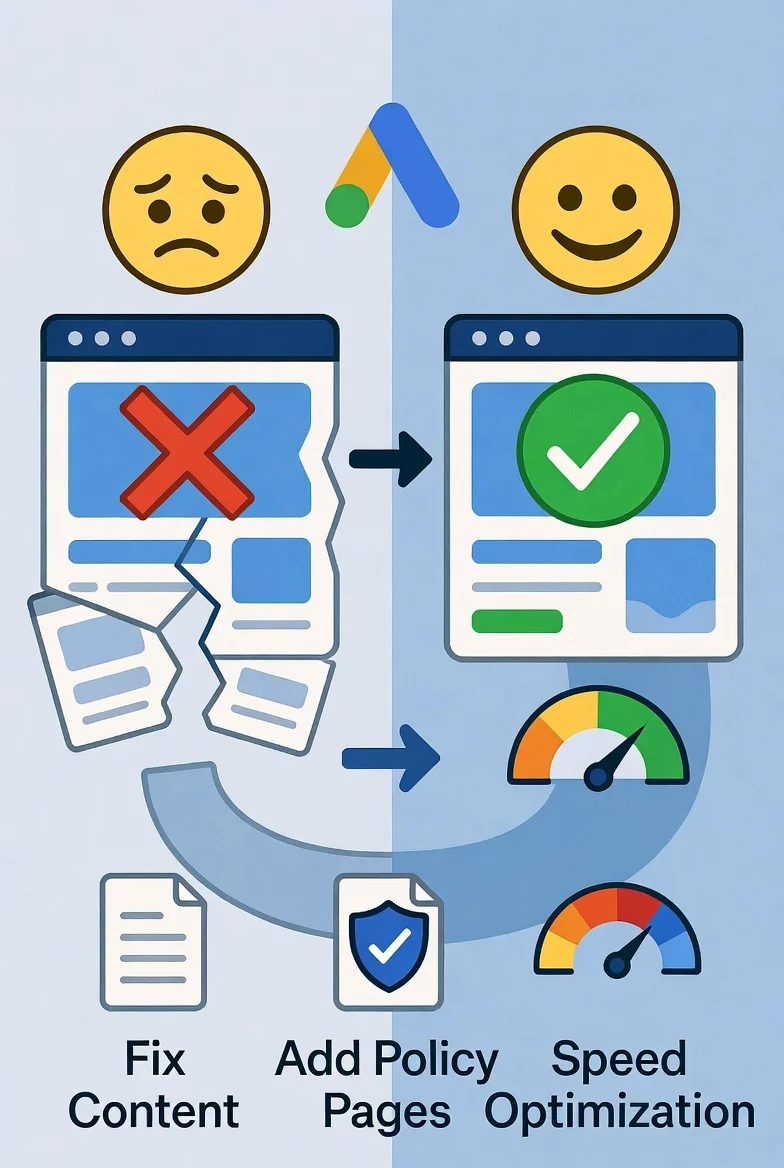
D. Missing Mandatory Policy Pages
- What it is: Absence of legally-required pages for a site hosting ads and collecting data.
- The Fix: Generate and link in the footer:
- Privacy Policy: Mandatory if you collect any data (via Google Analytics, contact forms, or AdSense itself). Describe what data you collect and how it’s used.
- Disclaimer: Especially important for sites giving advice (health, finance, etc.). State that content is for informational purposes only.
- Terms and Conditions/Use: Outlines the rules for using your site.
- Cookie Policy: Informs users about cookie usage (often part of the Privacy Policy).
Category 3: Technical and Security Shortcomings
A. Slow Page Loading Speed
- What it is: Pages that take more than 3-5 seconds to load. This drives users away and is heavily weighted by Google.
- The Fix: Optimize images (compress, use WebP format), leverage browser caching, minimize CSS/JavaScript, and consider a Content Delivery Network (CDN) or caching plugin.
B. Lack of HTTPS/SSL Security
- What it is: Your site URL begins with
http://instead ofhttps://. This means data between the user and your site is unencrypted. - The Fix: Obtain and install an SSL certificate. Most quality web hosts offer this for free (e.g., Let’s Encrypt). It’s non-negotiable.
C. Broken Links and Error Pages
- What it is: Links that lead to
404 Not Foundpages. This creates a poor user experience and makes your site feel abandoned. - The Fix: Use a tool like Screaming Frog or a WordPress plugin (e.g., Broken Link Checker) to find and fix or redirect broken links. Create a custom, helpful 404 error page.
D. Insufficient Site Activity and Traffic
- What it is: While there’s no official traffic minimum, applying with a brand-new site (e.g., 1 day old, 2 posts) signals you’re not serious. Google wants to see an established, maintained presence.
- The Fix: Be patient. Before applying, publish 15-30 high-quality articles over 2-3 months. Promote your site to gain organic traffic. Use Google Search Console to confirm indexing and some visitor activity.
Part 3: The Hidden Advantages of AdSense Disapproval – Reframing the Rejection
This is the paradigm shift that separates successful publishers from the rest. Viewing disapproval as an opportunity unlocks tremendous growth.
Advantage 1: A Free, Expert Website Audit
Google has just given you a detailed (if cryptic) report card. Instead of paying a consultant, use the disapproval as a checklist. Fixing the issues it highlights will improve your site’s SEO, user engagement, and conversion rates far beyond just ad revenue.
Advantage 2: Forced Foundation Building for Long-Term SEO
The steps to AdSense approval are identical to the steps for high Google rankings.
- Fixing thin content → Creates pillar content that ranks.
- Improving site speed → Boosts Core Web Vitals, a key ranking factor.
- Adding policy pages → Increases E-E-A-T, crucial for YMYL topics.
- Improving UX → Lowers bounce rate, increases dwell time—positive SEO signals.
Advantage 3: Diversification of Monetization Mindset
Relying solely on display ads is a low-earning strategy for most new sites. The rejection period is the perfect time to research and implement other models:
- Affiliate Marketing: Often has a higher RPM (Revenue Per Mille) than ads. Integrate relevant product recommendations into your now-improved content.
- Direct Sponsorships: A quality website attracts direct deals from brands.
- Digital Products/Services: Use your expertise to create ebooks, courses, or consulting offers.
By the time AdSense is approved, you’ll have multiple income streams.
Advantage 4: Cultivation of Patience and Strategic Thinking
The quick-rich fantasies die with the disapproval email. What remains is the reality of building a sustainable online asset. This mindset is invaluable for long-term success in the volatile world of online business.
Part 4: The Step-by-Step Recovery Plan: From Disapproval to Approval
Follow this sequenced action plan methodically.
Phase 1: Diagnosis & Triage (Week 1)
- Decode the Disapproval Email: Read Google’s message carefully. It often cites a general policy (e.g., “Site does not comply with program policies”). Note the specific reason if given.
- Conduct a Brutal Self-Audit: Put on your “user hat” and a “Google reviewer hat.” Go through every page and ask:
- Is this content truly helpful and original?
- Is the site easy to navigate on my phone?
- Do I look trustworthy? (Policy pages, About info).
- Are there any technical errors?
- Check Google Search Console: This is your technical lifeline. Address all crawl errors, security issues, and Core Web Vitals reports. Ensure your sitemap is submitted and pages are indexed.
Phase 2: Content Revitalization (Weeks 2-4)
- Identify & Rewrite or Remove Thin Content: Target your oldest or shortest posts. Expand them with more detail, better examples, updated information, and original graphics.
- Enhance AI-Assisted Content: For any AI-drafted posts, rewrite introductions and conclusions in your own voice, add personal anecdotes, and double-check every factual claim with authoritative sources.
- Create 5-10 New “Cornerstone” Articles: Produce definitive, long-form guides on your core topics. These demonstrate your site’s authority and become link-worthy assets.
Phase 3: Technical & UX Overhaul (Week 3)
- Ensure HTTPS is Active: The padlock must show in the address bar.
- Run Speed Tests: Use PageSpeed Insights and GTmetrix. Implement their key recommendations (image optimization, caching).
- Verify Mobile Responsiveness: Test on real devices.
- Install/Erect Policy Pages: Use a professional generator if needed, but ensure they are specific to your site.
- Fix All Broken Links.
Phase 4: The Re-Application Process (Week 4+)
- Wait: Do not reapply immediately after making changes. Let Google’s crawlers revisit your site and see the improvements. Wait at least 2-3 weeks.
- Document Your Changes: Before reapplying, it can be helpful to note the specific actions you took (e.g., “Added 10k words of original content, installed SSL, created Privacy Policy”).
- Submit a Thoughtful Appeal (if applicable): If your account was disapproved (not just the site), you can appeal. Be concise, professional, and list the concrete changes you made to comply.
- Apply with a New Perspective: Submit the application not with desperation, but with the confidence that your site now genuinely deserves a place in the AdSense network.
Part 5: Critical Mistakes to Avoid After a Disapproval
- The Panic Reapply: Submitting again in 48 hours without substantive change will result in another rejection and may flag your account.
- The “Website Masking” Scam: Trying to hide poor content or a non-compliant site structure by showing a “pretty” page only to Google’s crawler. This is cloaking, a direct violation that will lead to a permanent ban.
- Over-Optimizing for Ads: Even after approval, placing too many ads above the fold or using disruptive ad formats can lead to policy violations later. Focus on the user first.
- Neglecting the Long Game: Getting approved is a milestone, not the finish line. Continue to publish great content and improve UX to increase your revenue.
Part 6: Viable AdSense Alternatives – Building a Resilient Business
If the path to AdSense remains blocked, or you wish to diversify immediately, these are credible alternatives:
- Media.net: Contextual ad network powered by Yahoo and Bing. The approval process can be slightly more forgiving, and it’s a strong secondary network.
- Ezoic: Uses AI to test and optimize ad placements. They have a lower traffic barrier to entry (though they require site access for setup) and focus heavily on improving site speed and UX alongside revenue.
- Affiliate Marketing (The Strategic Alternative): Promote products from networks like Amazon Associates, ShareASale, or CJ Affiliate. This requires strategic content but offers higher commissions per sale. It builds a business independent of ad networks.
- Sponsored Content & Direct Sales: As your site’s authority grows, brands will pay for dedicated posts, reviews, or banner placements. This demands a media kit and proactive outreach.
- Sell Your Own Products/Services: The ultimate monetization. Use your website as a platform to sell your expertise—online courses, ebooks, memberships, coaching.
Part 7: Frequently Asked Questions (FAQs)
Q1: How long should I wait to reapply after fixing my site?
A: A minimum of 15-30 days is recommended. This gives Google time to recrawl your site and see the sustained improvements.
Q2: My site was approved, but then disapproved later. Why?
A: This is a “policy violation.” Common reasons include adding non-compliant content after approval, suspicious traffic activity (click fraud), or changes that hurt user experience (e.g., intrusive pop-ups). Check your AdSense dashboard for notifications.
Q3: Does domain age matter for AdSense approval?
A: Not directly, but older domains with a consistent content history appear more trustworthy. A 6-month-old site with great content is better than a 3-year-old abandoned site.
Q4: Can I use a free WordPress.com or Blogger site for AdSense?
A: Yes, but you are subject to their specific terms as well as Google’s. Having a custom domain (yourname.com) is strongly recommended for professionalism and control.
Q5: How crucial are social media shares and comments?
A: They are positive social signals but not a direct requirement. A site with great content that attracts organic comments and shares demonstrates engagement, which is beneficial.
Q6: What is the single most important thing to focus on?
A: High-quality, original content created for people, not search engines. Everything else (technical, design) supports this core principle.
Conclusion: Disapproval as a Catalyst for Excellence
The journey through AdSense Disapproval is a rite of passage for serious web publishers. It separates the hobbyists from the professionals. That rejection email is not a closed door, but a challenging entrance exam to a more reputable and profitable tier of online publishing.
By systematically addressing the causes—elevating your content, fortifying your site’s technical foundation, and building genuine trust with your audience—you do far more than unlock ad revenue. You construct a durable digital asset that ranks better, engages readers more deeply, and opens multiple avenues for monetization.
Let the initial “no” be the fuel for your ultimate “yes.” Use this guide as your manual, embrace the process of improvement, and build a website that doesn’t just seek approval from an algorithm, but earns the lasting loyalty of your audience. The path forward is clear: build with quality, patience, and integrity, and success will follow.
Additional Resources:
- Google AdSense Program Policies: https://support.google.com/adsense/answer/48182
- Google Search Console Help: https://support.google.com/webmasters
- PageSpeed Insights Tool: https://pagespeed.web.dev/
- Mobile-Friendly Test: https://search.google.com/test/mobile-friendly











Post Comment